LabelLobo

Finish photo reports lightning-fast with LabelLobo. Built for adjusters, by an adjuster, this lightweight yet powerful desktop tool streamlines the photo description labeling process in Symbility and Xactimate.
LabelLobo's aim is to save you many combined hours at the desk or on deployment by eliminating the need for relentless and repetitive typing of the same phrases and photo descriptions with its completely customizable workspace. Simply press a user-defined phrase button and LabelLobo automatically labels the photo. As an independent adjuster, I truly believe LabelLobo stands up against any other photo labeling tool available--even in the age of AI.
For questions, contact [email protected]
© 2026 LabelLobo. All rights reserved.
Privacy PolicyEffective Date: February 01, 20261. OverviewLabelLobo is a Windows desktop application designed to assist insurance professionals with rapid photo labeling. We respect your privacy and are committed to protecting it.This Privacy Policy explains what information we collect and how it is used.2. Information We CollectLabelLobo does not create user accounts and does not store personal user data on our own servers.We collect only the minimum information necessary to operate the service:Information Collected by Our Payment ProcessorPayments and subscription management are handled by Creem.When purchasing a subscription, Creem may collect:NameEmail addressPayment informationBilling detailsWe do not receive or store full payment details (such as credit card numbers).Please review Creem’s privacy policy for details on how they handle your data.License Validation DataWhen the application validates your license key, limited technical information may be transmitted such as:License keyApplication versionBasic technical connection data (e.g., IP address)This information is used strictly to verify subscription status.We do not sell, rent, or share your data.3. Data StorageLabelLobo does not maintain user accounts and does not store personal information on its own servers.All subscription data is managed by Creem.4. Data SecurityWe take reasonable technical measures to protect license validation communications. However, no internet transmission is ever 100% secure.5. U.S. Customers OnlyLabelLobo is intended for customers located in the United States. We do not knowingly market to or collect data from users outside the U.S.6. Changes to This PolicyWe may update this Privacy Policy from time to time. Updates will be reflected by revising the “Effective Date” above.7. ContactFor questions regarding this Privacy Policy, contact [email protected]
Terms of ServiceEffective Date: February 01, 20261. Acceptance of TermsBy purchasing or using LabelLobo, you agree to these Terms of Service.If you do not agree, do not use the software.2. Description of ServiceLabelLobo is a Windows desktop application that assists users in labeling photos within third-party estimating platforms such as Xactimate and Symbility.We are not affiliated with or endorsed by those platforms.3. Subscription & PaymentLabelLobo is offered as a subscription service for $15 per month.Payments are processed securely by Creem.4. Refund PolicyRefunds are available during the first two (2) weeks of the billing month in which payment was made.Refund requests submitted after the two-week window may be denied.To request a refund, contact: [email protected]5. License & UsageYou are granted a limited, non-transferable, non-exclusive license to use LabelLobo.You may not:Reverse engineer the softwareResell or redistribute itShare license keysAttempt to bypass subscription validation6. No WarrantyLabelLobo is provided “as is” without warranties of any kind, either express or implied.We do not guarantee uninterrupted operation or error-free performance.7. Limitation of LiabilityTo the maximum extent permitted by law, LabelLobo shall not be liable for:Loss of dataBusiness interruptionIndirect or consequential damagesUse of the software is at your own risk.8. TerminationWe reserve the right to suspend or terminate access for violations of these Terms.9. Governing LawThese Terms shall be governed by the laws of the United States.10. ContactFor support or legal inquiries: [email protected]
Installing LabelLobo
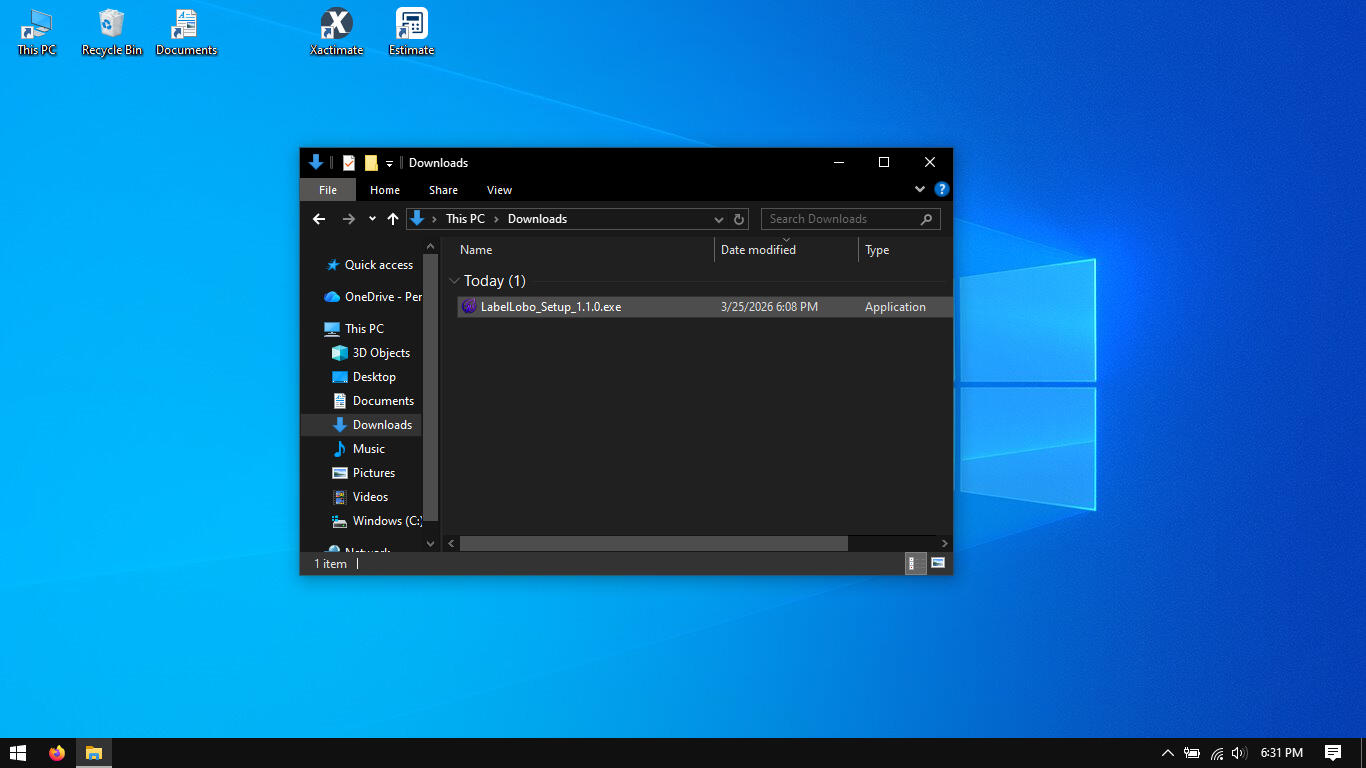
To begin, download the LabelLobo installer using the download button at the bottom of this page. You'll find LabelLobo_Setup_1.1.0.exe in your downloads folder or wherever you chose to save the file.
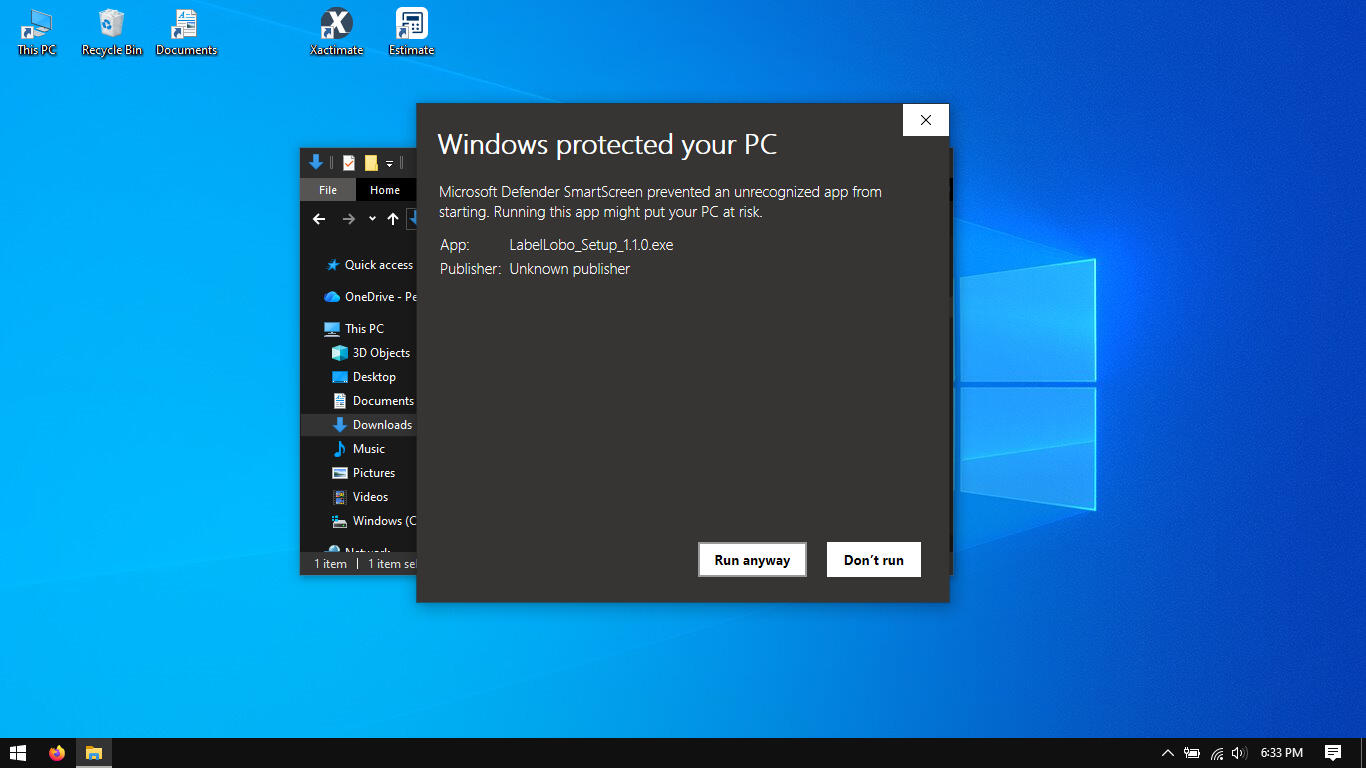
Double-click *LabelLabelSetup1.1.0.exe to begin installation. Some users may get a Windows Defender popup, which is a common occurrence for apps built by indie developers. If this popup appears, you can click More info then Run anyway to continue installation.
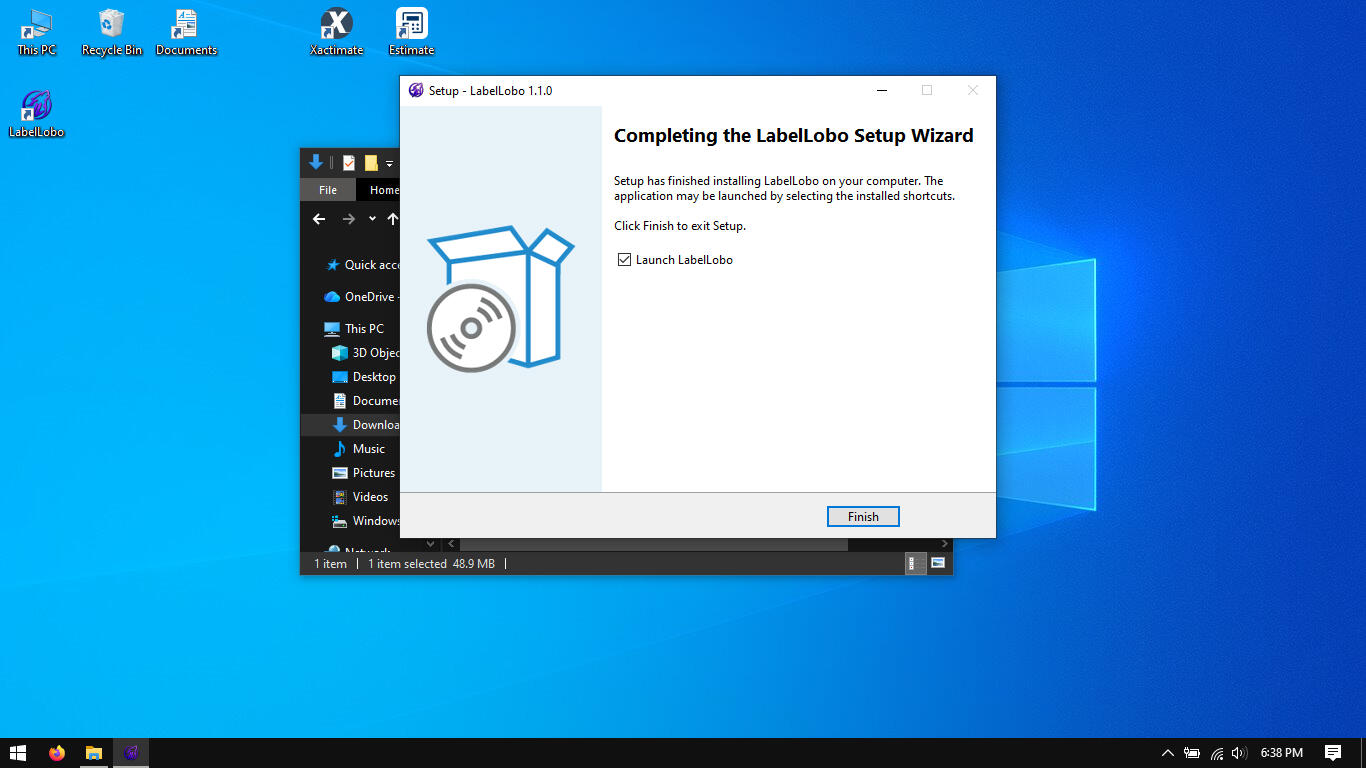
Continue through the Setup Wizard to complete installation (you may leave all settings on their default state). Click Finish, and you're ready to go!
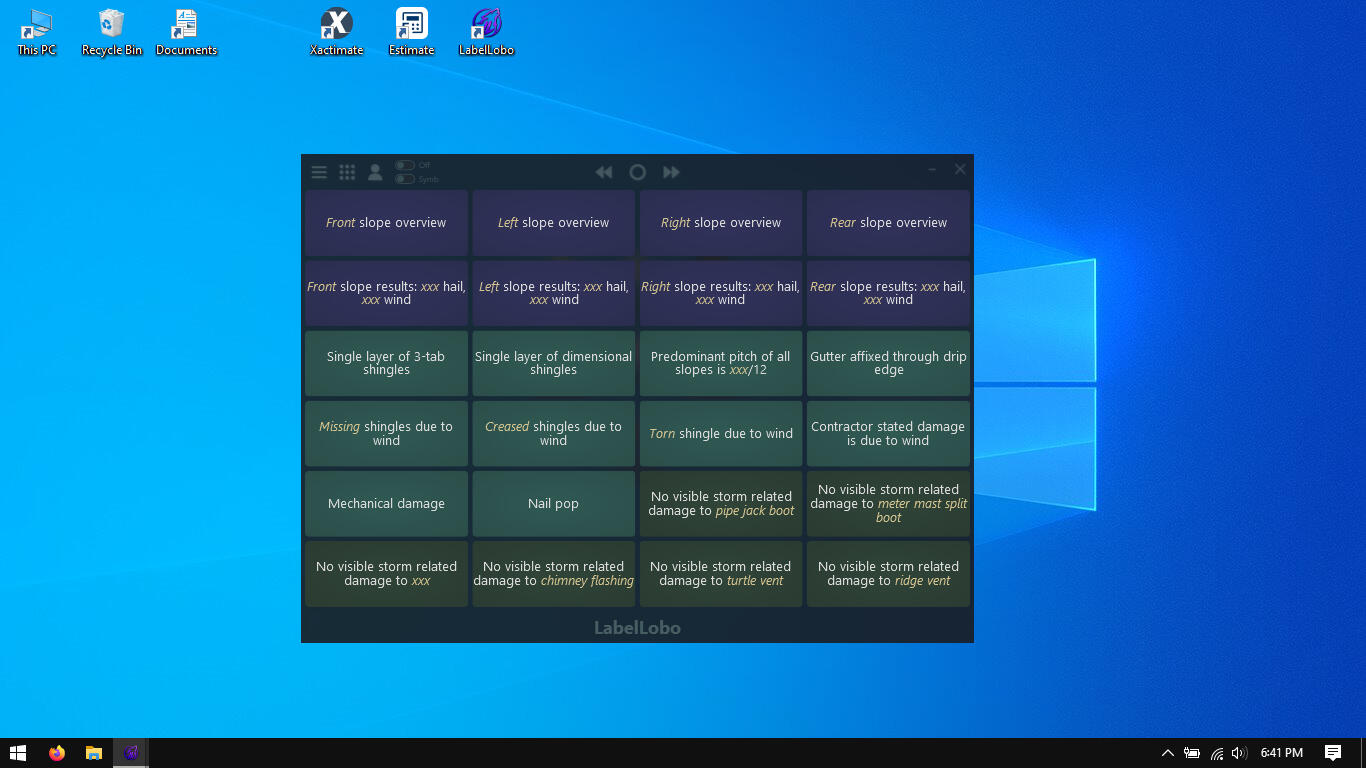
You can now run LabelLobo, test out its features, and start building your library of matrices! Each matrix you create or modify will automatically be saved and stored locally, regardless if you're subscribed or not.
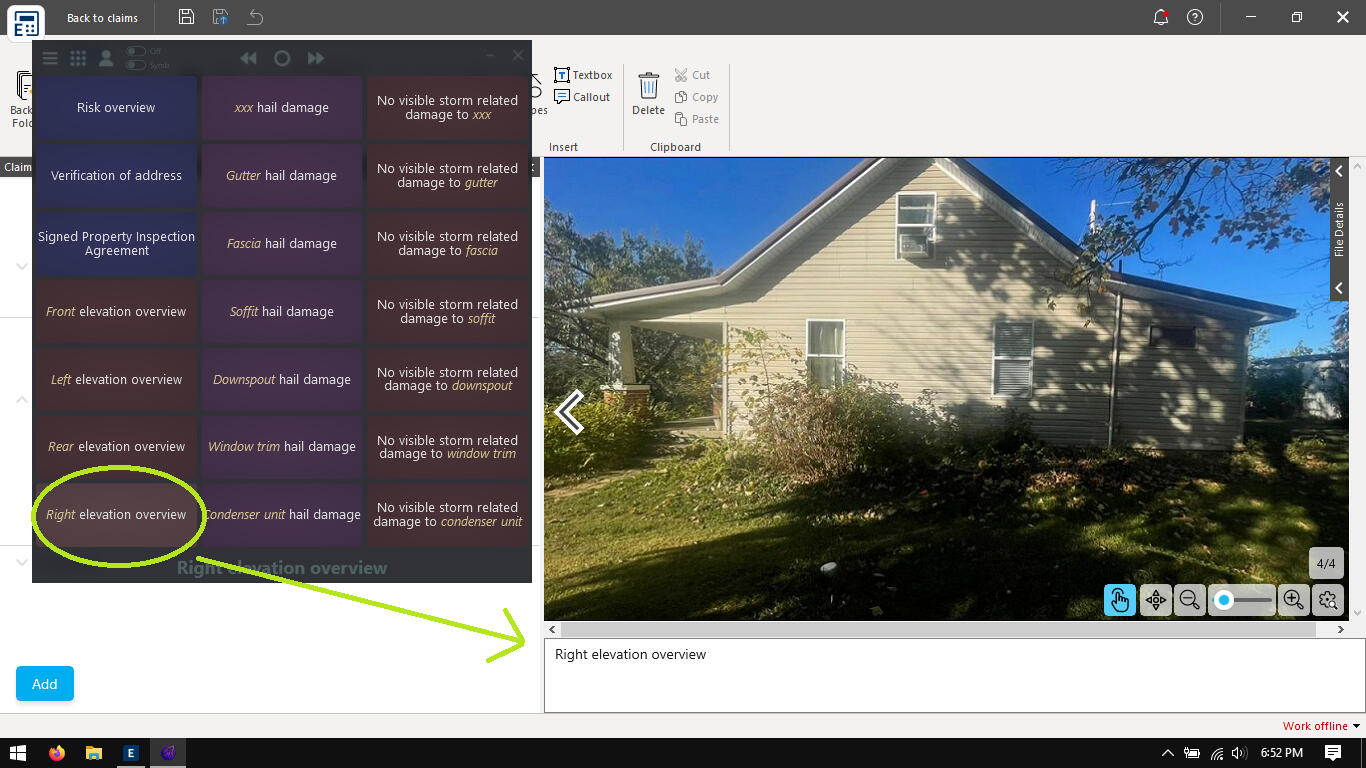
Open up your photos in either Symbility or Xactimate to begin labeling (use the lower toggle switch to select you estimating platform). With a single click on a cell, LabelLobo will instantly label the photo description field; and with Auto Mode turned on, LabelLobo will automatically advance to the next photo after each label is applied.
You can download, install, and test on your system right now without subscribing and without signing up. To help determine if LabelLobo will benefit your workflow and speed, all features are available right out of the gate. The only limitation without a subscription is that watermarks are appended to the end of labels. If you feel LabelLobo is indeed right for you, a subscription link may located inside the account menu (discount and promo codes are applied at checkout).
For questions, contact [email protected]
© 2026 LabelLobo. All rights reserved.